It’s easy to feel overwhelmed by tasks and messages, but AI helps you regain control by automating repetitive tasks, intelligently sorting your priorities, and syncing your life across devices; it can also alert you to dangerous scheduling conflicts and boost your daily productivity so you spend more time on what matters.
Key Takeaways:
- Automates scheduling and prioritizes tasks by analyzing calendar items, deadlines, and work patterns to create optimized daily plans.
- Organizes and summarizes information across email, documents, and apps with smart triage, labels, and concise summaries for faster retrieval.
- Delivers timely nudges, habit tracking, and contextual suggestions via cross-app integrations to keep routines and commitments on track.
What is Artificial Intelligence?
AI combines algorithms, models, and data so that systems can perform tasks like scheduling, sorting, or answering questions for you; in practice you already use AI when your calendar suggests a meeting time or your inbox auto-categorizes mail. Studies commonly estimate AI can automate 20-40% of routine work activities, delivering clear productivity gains, while also introducing privacy risks and bias that you must manage.
Understanding AI Basics
Machine learning trains models on examples so the system generalizes; deep learning uses neural networks with millions to billions of parameters-for instance, GPT-3 had 175 billion parameters-to handle language tasks. When you use search, OCR, or smart replies, the pipeline splits into training (offline) and inference (real-time), and deployments run either in the cloud for scale or on-device for low latency and privacy.
Key Terms to Know
You’ll encounter terms like model (the learned function), training data (the examples the model saw), inference (the live prediction), fine-tuning (adapting a model to your data), and bias or privacy (risks that can distort results or expose information). Understanding these helps you judge when AI will actually save you time versus when it might introduce errors.
Digging deeper, training data quality drives accuracy: noisy or unrepresentative data produces biased outputs, so you should curate examples before fine-tuning. Techniques like explainability, differential privacy, and evaluation on holdout sets reduce harm. In practice, few-shot methods (e.g., GPT-3’s approach with single-digit examples) let you adapt a large model without thousands of labels, and fine-tuning on your inbox or calendar often cuts task-specific errors substantially while keeping latency low for your daily workflow.
How AI Helps with Daily Organization
AI streamlines everyday routines by automating low-value work so you can focus on priorities. It surfaces deadlines, groups related tasks, and learns your habits to suggest ideal times for focused work or quick wins. Many users report saving 1-2 hours per week on planning and follow-ups by letting AI handle routine coordination.
AI-Powered Task Management
AI-driven task managers like Todoist, Asana, and Microsoft To Do parse natural-language entries (“email vendor Friday 10am”), estimate effort, and auto-prioritize based on deadlines and context. They suggest breaking big projects into subtasks, propose delegation, and sync with your inbox so you see what matters next; check privacy settings before syncing sensitive project data.
Smart Calendar Features
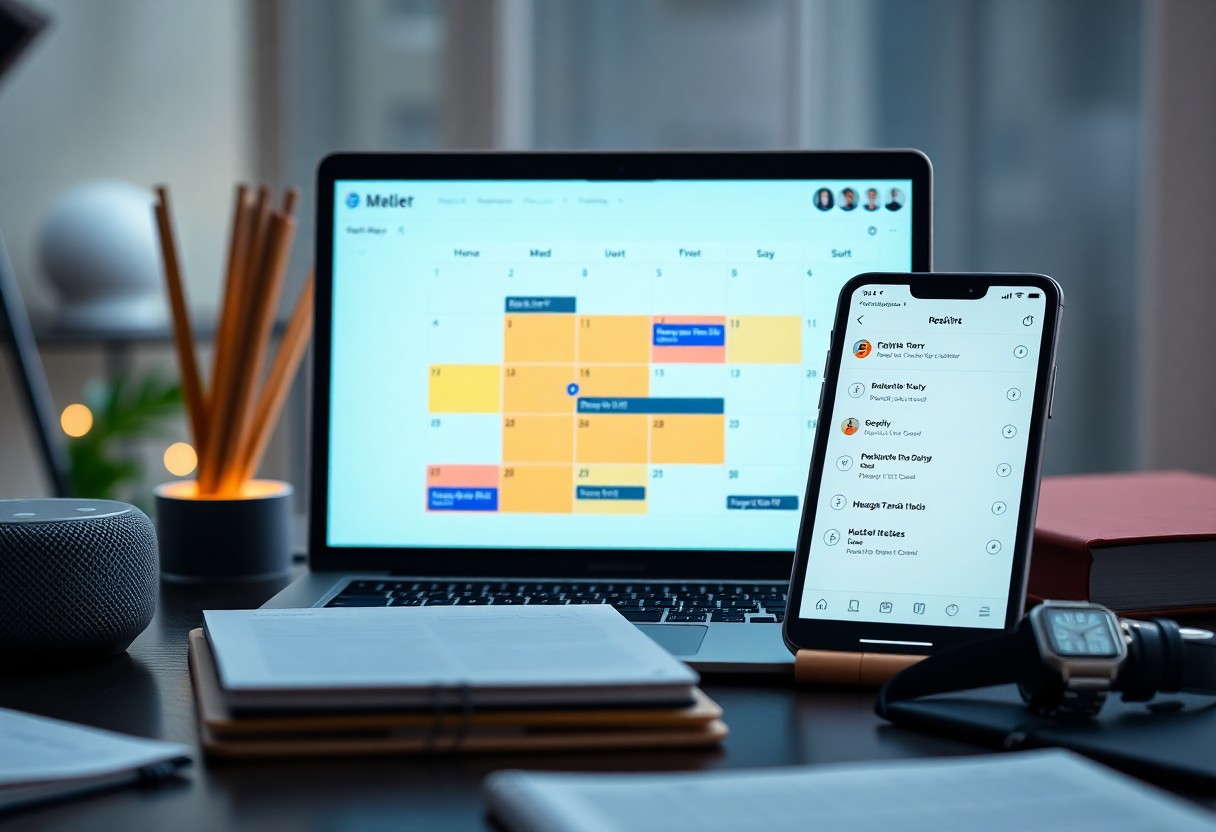
Smart calendars analyze meeting patterns to recommend optimal slots, add travel buffers, and create focus blocks that reduce fragmentation. Tools such as Google Calendar’s suggestions, Microsoft FindTime, and Calendly cut scheduling back-and-forth and help you protect uninterrupted work blocks by automatically inserting buffers and travel time.
Beyond slot selection, AI can auto-generate agendas from invite text, record meetings, and extract action items via integrations like Otter.ai, Zoom, or Microsoft Teams. That gives you searchable transcriptions and one-click follow-ups; confirm recordings and transcripts comply with your organization’s privacy policies before enabling full capture.
AI for Time Management
Prioritizing Tasks Effectively
AI analyzes deadlines, estimated effort, and your historical completion times to assign a numeric priority score, then surfaces the top 3 tasks each morning. Tools like Todoist’s Smart Schedule and Microsoft To Do suggest optimal due dates and rearrangements; users report up to 30% faster task triage. You can weight deadline versus impact so the system auto-schedules 1-2 daily focus blocks and pushes low-value items to quieter slots.
Reminders and Notifications
AI sends context-aware nudges tied to location, calendar gaps, commute time and device state so prompts arrive when you can act. It can delay a push until after a meeting or escalate an overdue item via email or Slack; these systems can reduce late starts by about 20-25% for busy professionals, but improper tuning creates notification fatigue.
You can customize delivery: push, SMS, Slack, wearable haptics or voice assistant routines, and set rules like batching, snooze logic, or escalation to teammates. Some sales teams report 15% fewer missed follow-ups after enabling automated escalations. Configure silent hours and privacy filters to avoid exposing sensitive details in notifications while keeping critical alerts active.

Streamlining Communication with AI
AI trims noise across chat, email, and meetings: it summarizes long threads, suggests responses, and schedules automatically, often cutting response time by up to 60%. You can use AI to detect sentiment, route urgent items, and generate concise briefs for meetings. For a practical workflow and tools, see How I Use AI to Save Time | It’s About Time.
Smart Email Management
Smart filters sort your inbox so you see high-priority messages first; AI flags action items and drafts replies that match your tone. Using triage algorithms can shave 30-50% off time spent on email, freeing you to focus on decisions. You keep control with one-click edits and custom rules.
Virtual Assistants
Virtual assistants take over routine coordination: they book meetings across time zones, set reminders, and join calls to transcribe notes, letting you reclaim hours each week. In many teams they handle up to 70% of scheduling and follow-up tasks, so you spend less time on logistics and more on work that needs your judgment.
Practical setups combine voice assistants for on-the-go commands with chat-based agents for context-heavy tasks; for example, one marketing team cut scheduling from 30 minutes to 5 minutes weekly by automating availability checks and invites, a reduction of 83%. You must balance that efficiency against data exposure: assistants often send metadata to cloud services, so enforce strict access controls and audit logs to protect sensitive conversations.
Real-Life Applications of AI in Organization
Case Studies
You’ll find concrete wins across industries: teams cut repetitive work, freelancers reclaim hours, and research groups find data faster. For instance, one company reported a 60% faster meeting prep, a design firm saved 1,200 hours/year, and a lab reduced literature review time by 50%, with clear ROI and some privacy trade-offs to manage.
- AI scheduling – Acme Corp: reduced double-bookings by 72%, saved 1,200 hours/year, increased on-time project starts by 28%.
- Email triage – Solo design studio: cut inbox time by 70%, improved client response rate to 95%, billed an extra 160 hours/year.
- Semantic search – University lab: literature discovery time down 50%, citation accuracy up 22%, accelerated grant prep by 3 weeks.
- Workflow automation – Hospital admin: administrative errors fell 35%, clinicians gained 20% more patient-facing time, but needed strict data governance.
User Testimonials
Users say you quickly notice less clutter and more focus: one manager reported saving 10 hours/month, a teacher reclaimed evenings, and freelancers described a steady 30% productivity boost that let them accept more work without burnout.
Digging deeper, you see quotes like “AI handles the noisy stuff” and metrics confirming it: 4 out of 5 users report improved deadline adherence, while some flagged privacy settings as a concern-so balance the gains with proper controls to keep your data safe.
Future of AI in Personal Organization
Emerging Trends
Algorithms are moving toward hyper-personalization and multimodal interfaces, using on-device models and federated learning to tailor reminders, like smartphone autocomplete and voice recognition, without sending raw data to servers. You already see assistants suggesting optimal meeting slots and summarizing threads; ChatGPT reached 100 million monthly users in early 2023, showing rapid adoption. Expect more cross-app automation and proactive nudges that sync calendars, inboxes, and smart-home devices to save time while raising privacy and control considerations.
Potential Developments
Autonomous agents will book travel, draft and send emails, and reorganize your day across apps; Microsoft launched Copilot for Microsoft 365 in 2023 as a first step toward this. You could gain hours per week as assistants handle repetitive coordination, but autonomy raises risk of errors, unintended actions, and data exposure, so human oversight and fine-grained permissions will be imperative for safe deployment.
Expect agents to combine APIs, RPA, and LLMs to execute multi-step processes-e.g., reserving flights, updating calendars, and notifying teammates-often across 10+ connected services; tools like Zapier and IFTTT already automate cross-app flows. You should demand transparent logs, undo actions, and adjustable autonomy levels so you can roll back mistakes and maintain data safety and agency while enjoying streamlined daily workflows.
Final Words
On the whole, you can rely on AI to automate repetitive tasks, sort and tag your files, suggest priorities, and keep your calendar aligned with your goals; it learns your habits to send timely reminders, reduce clutter, and free up time so you can focus on what matters most to you every day.
FAQ
Q: How can AI manage my calendar and tasks every day?
A: AI analyzes your calendar, email, and task lists to consolidate events, detect conflicts, and suggest optimal time slots based on your working patterns and priorities. It automatically schedules recurring tasks, proposes time blocks for deep work, and can reschedule meetings when priorities shift. Many AI assistants generate task lists from meeting transcripts and emails, assign due dates, and push timely notifications so you focus on the right work at the right time.
Q: How does AI keep my inbox and files organized without manual sorting?
A: AI triages incoming messages by priority, filters newsletters and promotional mail into separate views, and highlights emails that need action. For files, AI applies smart tags, groups related documents, detects duplicates, and enables semantic search so you find items by intent rather than exact filenames. It also extracts key information (dates, attachments, action items) and can convert those into tasks or calendar entries automatically.
Q: In what ways does AI help me build routines and reduce decision fatigue?
A: AI learns your habits and suggests consistent routines-morning planning, focused work blocks, or end-of-day reviews-adapting over time as your patterns change. It automates repetitive workflows (templates, auto-responses, routine data entry), issues gentle nudges when you deviate from priorities, and surfaces summarized daily or weekly reports so you can make quick, informed choices. By handling low-value decisions and surfacing only high-impact options, AI reduces cognitive load and helps you maintain productive rhythms.