Just as AI automates chores and schedules, it helps you move faster and make smarter decisions by organizing tasks, suggesting shortcuts, and personalizing routines so you save time and stress; while these benefits are powerful, be aware of privacy and bias risks so you protect your data and check recommendations for errors.
Key Takeaways:
- Automation of repetitive tasks speeds up daily work and chores (scheduling, inbox triage, smart-home control).
- Personalized assistance uses your data to make smarter decisions and tailored recommendations.
- Context-aware integration across apps and devices anticipates needs and simplifies workflows.

The Role of AI in Everyday Tasks
AI now automates routine decisions so you spend less time on chores and admin. From email triage that filters newsletters and flags urgent messages to smart calendars that reschedule meetings around your commute, these tools can free up about 3-5 hours per week. You get proactive suggestions-like leaving 15 minutes earlier for traffic-and direct integrations that turn multiple steps into one action.
Smart Assistants at Your Service
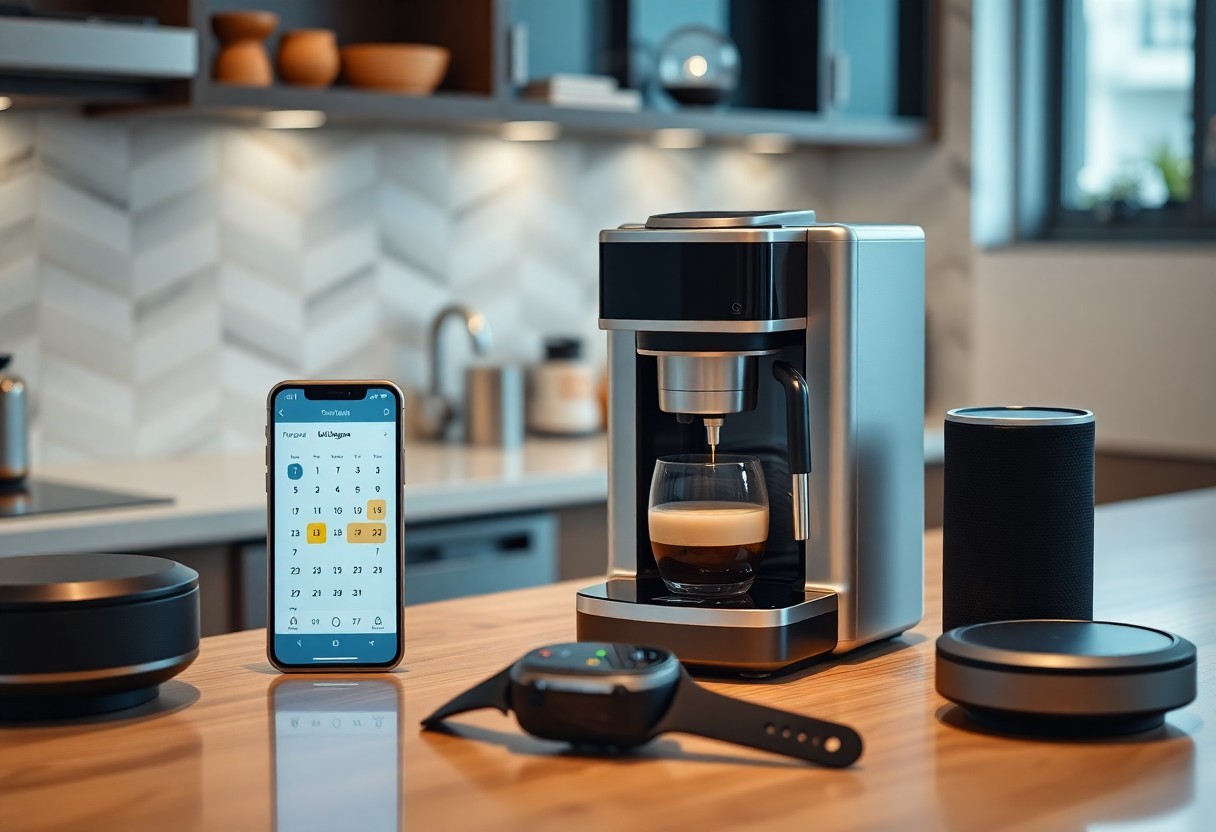
Voice assistants like Alexa, Google Assistant, and Siri automate daily flows: you say a phrase and a routine starts the coffee maker, reads your first meeting, and queues traffic updates. You can dictate messages, summarize emails, and trigger multi-step workflows across apps. A single morning routine can shave roughly 10-20 minutes off preparation time and remove repeated taps between devices.
Streamlining Household Chores
Smart appliances and robots take repetitive work off your plate: robot vacuums map rooms and run on schedules, connected washers optimize cycles for water and fabric, and fridges track inventory and suggest shopping lists. Thermostats like Nest typically cut heating bills by about 10-12%, delivering both time and cost savings. You gain convenience and efficiency, but keep devices secure to avoid exposing personal data.
For example, self-emptying robot vacuums such as the Roomba i7+ dump debris into a base that holds up to about 60 days of dirt, so you only check it monthly. Smart washers sense load and soil level to reduce water use, while fridge apps can auto-reorder staples. When you scale automation, prioritize strong passwords and segmented Wi‑Fi because unsecured devices are a real privacy risk.
AI and Time Management
AI turns busywork into minutes: by automating meeting coordination, email triage, and task batching you can often reclaim 1-2 hours per day. Practical tools streamline follow-ups, summarize discussions, and suggest optimal times; explore real-world workflows in Transforming Daily Productivity with AI Tools. Be mindful that automation needs oversight-without rules it can surface irrelevant items, so set filters and review periodically to keep efficiency high.
Scheduling Made Simple
AI assistants parse natural-language requests, check calendars across time zones, and propose conflict-free slots so you avoid the usual email ping-pong. For example, bots can auto-scan attendees’ availability and suggest the top 3 options, letting you confirm with one click. Configure auto-accept rules for recurring or low-impact meetings to convert repetitive planning into background work and protect your deep-focus time.
Prioritizing Your Day
AI analyzes deadlines, meeting load, and your energy windows to rank tasks so you tackle high-impact work first; many task managers combine urgency and effort scores to order your list. You get suggestions like batching deep work into 90-minute blocks and moving shallow tasks to low-energy slots, which helps you complete top priorities consistently.
Digging deeper, AI pulls data from emails, project updates, and calendar history to estimate task duration and delay risk, so it recommends realistic plans; in one case a team reported a 25% drop in missed deadlines after adopting predictive scheduling. You should review AI’s priorities weekly, tweak scoring weights, and add custom rules so the system aligns with your evolving goals.
Enhanced Communication with AI
You see AI translate conversations across 130+ languages, pull meeting recordings into 3-5 concise action items, and surface priority messages so you respond faster; companies report these tools cut routine communication time substantially, letting you focus on higher-value decisions while keeping context intact.
Chatbots and Customer Service
You interact with chatbots that resolve common issues instantly-many implementations handle up to 70% of routine inquiries and provide 24/7 availability-so you get answers outside business hours while agents focus on complex cases; escalation paths, human handoffs, and monitored training data keep accuracy high but watch for automation gaps that frustrate customers.
AI in Personal and Professional Messaging
You use AI to draft replies, suggest tones, and triage threads: Smart Reply-style suggestions speed responses, thread summaries condense long conversations into 3-5 bullets, and priority filters highlight what needs your attention now; benefits include faster turnaround and fewer missed requests, yet be mindful of data exposure when autofill pulls sensitive details.
You can also connect AI to calendars and CRMs so messages become actions-models detect intent, propose meeting times, and draft follow-ups based on past exchanges; enterprise options from major providers add data controls and on-premise processing to lower leakage risk, while smaller teams use third-party plugins to automate routine outreach and reminders.
AI-Powered Health and Fitness
Personalized Workout Plans
You get AI-generated workouts that adapt after each session using your heart rate, sleep data, and perceived exertion. Algorithms set intensity and volume based on your progress, often increasing load by 5-10% when strength improves. Many apps deliver tailored warm-ups and cooldowns to reduce injury risk and keep you consistent; users commonly see faster progression and higher adherence compared to one-size-fits-all routines.
Nutrition Tracking and Recommendations
You log meals with photos or barcode scans and AI matches them to databases (USDA and branded entries) to estimate calories and macros. It suggests a personalized split-example 40/30/30-or adjusts targets by 250-500 kcal/day for steady weight loss or muscle gain. AI also flags allergens and nutrient gaps, with alerts for potentially unsafe low calories so you avoid harmful deficits.
AI can propose weekly menus and grocery lists based on your tastes, budget, and lab results, prioritizing foods rich in nutrients you lack-like vitamin D or iron. It syncs with wearables to compare intake versus burned calories and suggests meal timing for energy or recovery after workouts. Some platforms use clinical-grade algorithms to tailor plans for diabetes or hypertension, offering medical-safe recommendations or flagging when you should consult a clinician.
AI in Entertainment
Across movies, music, and games, algorithms analyze billions of interactions to tailor experiences you encounter every day. Platforms often cite that recommendations drive roughly 70-80% of viewing, while game engines use procedural systems to generate vast content – for example, No Man’s Sky’s universe spans 18 quintillion planets. You gain faster discovery and richer immersion, but be aware that personalized feeds can create echo chambers and raise privacy concerns when your data is reused.
Smart Recommendations for Movies and Music
When you open Netflix or Spotify, hybrid systems combining collaborative filtering and content-based signals predict what you’ll like; industry estimates suggest recommendations account for a large share of engagement. You save time because playlists and queues are curated automatically, and features like Spotify’s Discover Weekly popularized algorithmic discovery. Still, those same models can overfit to your past tastes, creating filter bubbles, and require continuous data safeguards to prevent privacy leaks.
Enhancing Your Gaming Experience
You get smoother visuals and smarter worlds: techniques such as NVIDIA DLSS and temporal upscaling can boost frame rates by up to 2-4× on supported titles, while ray tracing adds realistic lighting without manual art work. Procedural tools generate sprawling content quickly, and dynamic difficulty systems adapt challenges to your skill. The flip side is that AI-driven personalization can be used for aggressive monetization or enable persuasive mechanics that encourage longer play, a potential harm to monitor.
Beyond graphics, AI agents have reached pro levels – OpenAI Five beat top Dota 2 players and DeepMind’s AlphaStar achieved Grandmaster in StarCraft II – showing how developers can prototype smarter NPCs and emergent gameplay. You also benefit from AI matchmaking (TrueSkill-like algorithms) and anti-cheat analysis that keeps matches fair, while user-generated AI tools enable rapid modding and localization; nonetheless, generated assets can introduce copyright and deepfake risks that platforms must mitigate.
How to Integrate AI into Your Life
Map small, practical uses into your daily flow: automate meeting scheduling, summarize long emails, and create morning briefs from news and calendar items. Try one new tool for 7-10 days, measure time saved in minutes per task, and limit access to sensitive accounts. Use examples like a smart thermostat that cuts manual adjustments and a scheduling assistant that removes 5-10 message exchanges. After one week of testing, compare results and keep what genuinely reduces friction.
Choosing the Right Tools
Focus on fit: pick tools that solve a specific pain-email triage, expense categorization, or home routines-and integrate with apps you already use (Google Calendar, Slack, bank APIs). Favor services with clear data controls and free trials; many productivity tools let you test core features in under 15 minutes. Start with 1-2 tools to avoid overlap and measure impact on time spent. After testing, retire duplicates and keep the simplest, highest-impact options.
- Productivity: grammar checkers, meeting summarizers, and calendar automations like Calendly.
- Home: smart thermostats, lights, and routines through platforms such as Home Assistant or Alexa.
- After Privacy: review data policies, prefer end-to-end encryption or local processing when possible.
Tips for Getting Started
Begin by automating one repetitive task-archive receipts, draft replies, or generate grocery lists-and spend 10-15 minutes customizing prompts or rules. Use templates and community presets to shorten setup, and schedule a weekly 10-minute review to tweak behavior. Track one simple metric, like minutes saved per day, so you judge ROI objectively. After two weeks, decide whether to refine, expand, or remove the automation.
Pick a single workflow (email filtering, bill reminders, or meeting prep), set measurable goals (save 10-30 minutes daily), and run a two-week trial with clear success criteria. Use built-in templates, test different prompt phrasings, and log time saved in a note or spreadsheet to quantify gains. Invite one collaborator to test shared automations for real-world feedback. After two weeks of data, scale what meets your threshold and document the setup for future replication.
- Start small: automate one task so you can iterate quickly.
- Measure: track minutes saved with a timer or simple log.
- Iterate: tweak prompts, rules, or integrations weekly.
- After Scale: roll the proven automation out to similar routines.
Final Words
Taking this into account, AI streamlines your daily tasks by automating repetitive work, anticipating your needs, and offering smarter suggestions so you save time, reduce effort, and make better choices; it learns your preferences, adapts to your habits, and helps you focus on what matters most in your day.
FAQ
Q: How does AI save time in my daily tasks?
A: AI automates repetitive work like email triage, invoice processing, calendar scheduling, and routine data entry, turning multi-step tasks into a single action. It produces summaries, drafts, and suggested responses so you spend less time composing content. Smart routing and integrations let one command update several apps at once, while predictive features and templates cut typing and decision time, freeing minutes to hours each day.
Q: How does AI make my routine smarter and more personalized?
A: AI learns your habits and context to surface the most relevant options when you need them-personalized news, meal or workout suggestions, commute routes, and energy settings. It adapts to feedback and sensor data to anticipate needs (for example, adjusting heating before you arrive or suggesting a faster route based on traffic). That context-aware assistance reduces choices you must weigh and tailors routines to your preferences.
Q: How can I adopt AI without adding complexity or risking my data?
A: Start with a few well-reviewed tools, enable clear privacy and permission settings, and prefer on-device processing or vendors with transparent policies. Use automation templates and limit notifications to avoid overload, and secure accounts with strong passwords and multi-factor authentication. Regularly audit connected apps and revoke unused permissions to keep workflows simple and data exposure low.